
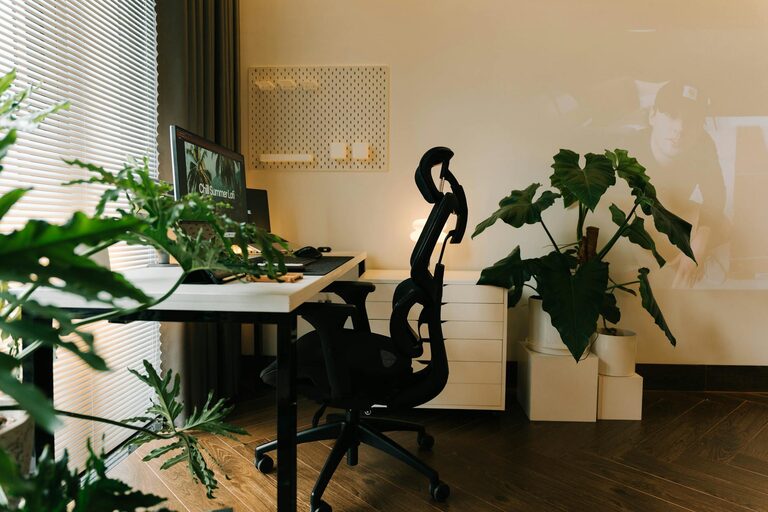
Creating a relaxing home workspace is essential for maintaining focus, reducing stress, and boosting productivity—whether you work from home full-time or occasionally. Your workspace should be a comfortable, inviting spot that helps you feel calm and energized throughout your workday. This guide offers practical tips for setting up a home office that balances comfort and functionality.
Why a Relaxing Workspace Matters
Working in a cluttered or uncomfortable environment can increase stress and make staying productive difficult. A well-designed workspace with a calming atmosphere helps clear your mind, reduce distractions, and improve concentration. When you feel relaxed, tasks become less overwhelming, and your creativity flows better.
Choose the Right Location
Find Natural Light
A workspace near a window is ideal. Natural light helps regulate your body’s internal clock, boosts mood, and decreases eye strain. If natural light is limited, invest in a good quality desk lamp with adjustable brightness.
Pick a Quiet Spot
Choose a location away from household noise like the TV, kitchen, or busy hallways. Even small distractions can interrupt your workflow. If total quiet isn’t possible, consider noise-canceling headphones or calming background sounds such as soft instrumental music or white noise.
Invest in Comfortable Furniture
Ergonomic Chair
Your chair should support your back and promote good posture. Sitting for long periods in an unsupportive chair can cause discomfort and health issues over time.
Appropriate Desk Height
Your desk height should allow your elbows to be at a 90-degree angle when typing. If your desk is too high or low, consider adjustable desks or keyboard trays.
Add Foot Support
Using a footrest can reduce pressure on your legs and improve circulation.
Keep Your Workspace Organized
Declutter Regularly
A clutter-free desk reduces anxiety and distractions. Keep only essential items on your desk and store other supplies in drawers or organizers.
Use Storage Solutions
Desk organizers, shelves, and filing cabinets help keep important documents and supplies tidy.
Manage Cables
Tidy cables with clips, ties, or under-desk trays to prevent mess and avoid tripping hazards.
Personalize Your Workspace
Add Greenery
Plants not only improve air quality but also bring a sense of calm and vitality to your space. Consider easy-to-care-for plants like succulents, pothos, or spider plants.
Use Calming Colors
Soft blues, greens, or neutrals tend to be calming colors. You can incorporate these in your wall paint, desk accessories, or artwork.
Display Inspiring Items
A few personal photos, motivational quotes, or meaningful objects can boost your mood without causing clutter.
Create a Relaxing Atmosphere
Control Lighting
In addition to natural light, use soft, warm artificial lighting to avoid harsh glare. Adjustable lamps let you tailor light levels depending on the time of day or task.
Manage Temperature
Keep your workspace at a comfortable temperature—neither too hot nor too cold. A small desk fan or space heater can help regulate the climate in your workspace.
Use Aromatherapy
Lightly scented candles, essential oil diffusers, or air fresheners with scents like lavender, eucalyptus, or citrus can promote relaxation and focus.
Set Boundaries and Break Times
Define Work Hours
Establish clear start and end times for your workday. This helps your mind separate work from personal time.
Take Regular Breaks
Schedule short breaks to stand, stretch, and rest your eyes. Techniques like the Pomodoro method (working 25 minutes, then taking a 5-minute break) can enhance productivity without burnout.
Create a Closing Routine
At the end of your workday, tidy your workspace and shut down your computer. This physical action can signal the brain to switch off from work mode.
Minimize Digital Distractions
Turn Off Notifications
Disable non-essential app notifications during work hours to reduce interruptions.
Use Focus Apps
Consider productivity apps that block distracting websites or help you stay on task.
Organize Your Desktop
Keep your computer desktop clean and use folders to reduce visual clutter.
Final Thoughts
A relaxing home workspace isn’t just about aesthetics; it supports your mental and physical well-being. By carefully selecting your workspace location, investing in comfortable furniture, organizing your area, and setting work boundaries, you can create a comfortable environment that promotes focus, creativity, and calm.
Remember, small changes can make a big difference. Start with one or two of these tips and gradually build your perfect home workspace tailored to your needs and style. With the right setup, working from home can become a more enjoyable and productive experience.